FunQuest Club: Free Games for Children and Adults

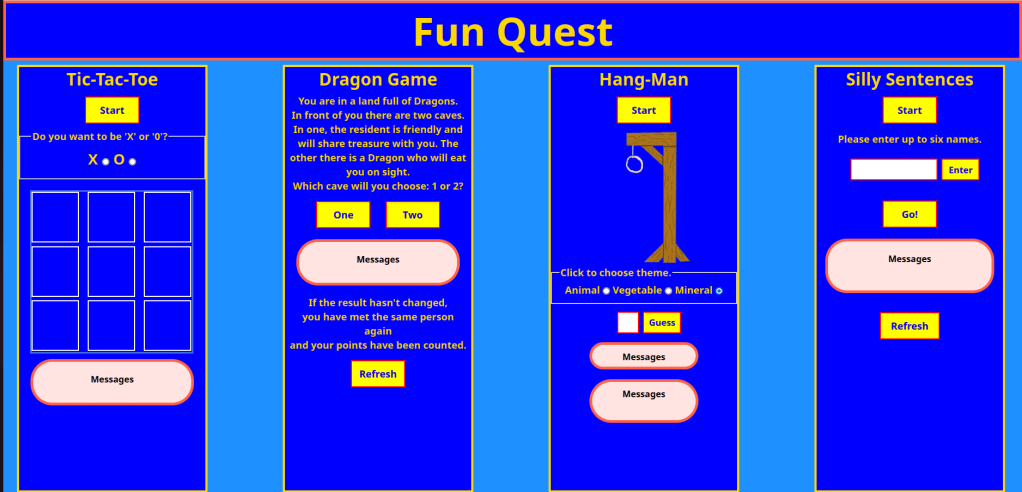
It has been a long time but my games website is finally up and running. I features four games:-

  • Tic-Tac-Toe (or as some people know it, noughts and crosses).
  • Dragon Game – the premise is that the user is faced with two caves, one has a genial person who gives the user nice and appropriate (for them) things, the other cave may contain a fierce dragon, who will eat you on sight. As you get gifts, you pick up points as well. When the dragon eventually gets you, you find out how many points you have accrued.
  • Hangman Game – you have to guess the animal, vegetable or mineral word. You have up to five wrong answers – on the sixth, the gibbet has a complete skeleton, you have lost and the game reveals the word. If you guess the word before the skeleton is entire, you are congratulated on winning.
  • Silly Sentences – the player enters “up to six names” – in fact, there is no limit to how many names you add, but six is a suggested maximum. Once the player enters all of the names that they want, they push the “Go!” button and the game creates silly sentences based on an entered name, picked at random, a verb (programmed into the game – picked at random) and a noun (again, pre-programmed into the game and picked at random) to create a sentence like “Frank hugs a bicycle” – completely bonkers!

The technical details are that it was built using HTML5, CSS3 and Javascript. It is hosted on Amazon Web Services (AWS), on an Apache2 web server and authenticated with Letsencrypt SSL authentication Certification.

For those of you who would like to play with it, please click below:-
It is:-

  • Completely free to use.
  • Suitable for a children and adults alike.
  • a lot of fun – people who have played the games particularly like Hangman and I hope that I have made it quite challenging, using a mixture of common and obscure words to find in each category.

It is planned that it will have advertising in the future but I do not plan to charge for the use of the games suite.

And finally, please watch out for other output from Cullen Development …… me!

Complete Javascript course from Udemy.

I have turned into a bit of a course junkie. Here is the latest acquisition from Udemy – from the stable of Tim Buckalka’s Learn Programming Academy, led by Charles E. Brown.

This came about as an attempt to ‘deep dive’ into Javascript as a compliment to ‘HTML, CSS and Javascript’ as mentioed in my previous post. This course was very useful as it taught me some extra things and tackled Javascript from another angle – not just use in the building of websites with functionality, but also use outside of Web development through the use of NodeJS – using Node to use Javascript functionality in ‘The Terminal’ or command prompt. Very interesting and useful. Of course, it covers web development too, but not in as much detail as the book ‘HTML, CSS and Javascript’.

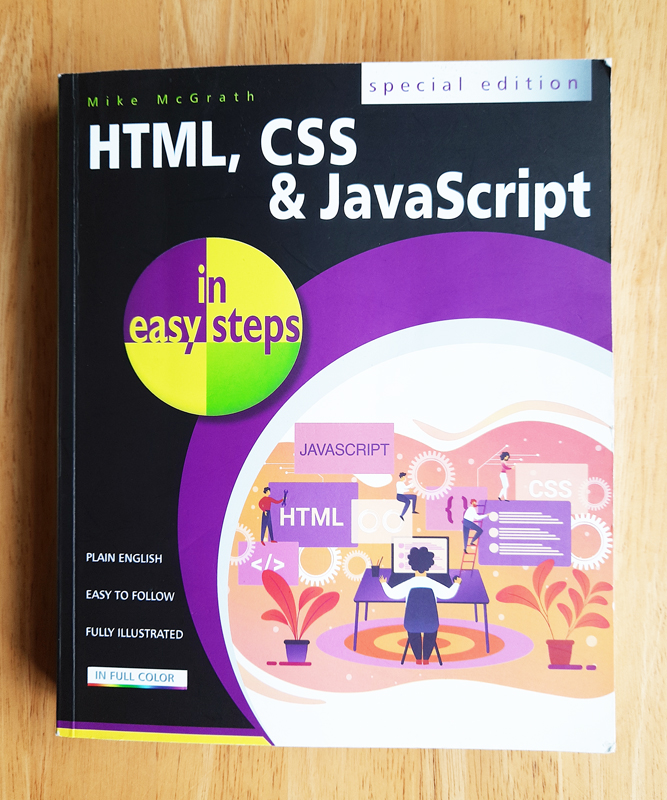
HTML, CSS and Javascript.

You may have read that I develop mobile applications – Android and Flutter mostly but the world of mobile development has changed considerably since I started and I must confess to have been a bit slow to keep up and there always seems to be something else that I need to learn to get me onto the next step – does that sound familiar? I was having a conversation with my son, who is an eminent software developer of some repute, about my progress (or lack of it!) and he said to me that I should be heading in the direction of creating web-apps; many mobile apps were “web-apps”. I was trying to get my Paediatric Medical app to fly and was having difficulty getting through getting it onto the “Play Store” – more about that another time – so I began to look at the merits of his suggestion and how much easier it would be to create a simple Android or Flutter app and then link to a server or cloud space that I maintain and let a web page that had functionality built in utilising Javascript.

I decided to get stuck into the Javascript bit first so picked up a book called “A Smarter Way To Learn Javascript” by Mark Myers – basically, 10 minute chapters followed by Free interactive exercises to make it stick – what’s not to like – experiental learning. The first chapter advised to get a grounding in HTML and CSS first, so I turned HTML, CSS and Javascript in Easy Steps.

It is a bit of a rarity, it would seem – more common are individual books on HTML or CSS or Javascript – mine was a “special edition”. After reading the book and going through the many interesting exercises, I decided to create a simple games app – free at the point of use which could be run as a stand-alone web page or as a mobile app with an Android/iOS or Flutter app with links to my server/cloud presence with the web page hosted on it. Eventually, it would be monetarised with adverts through Google.

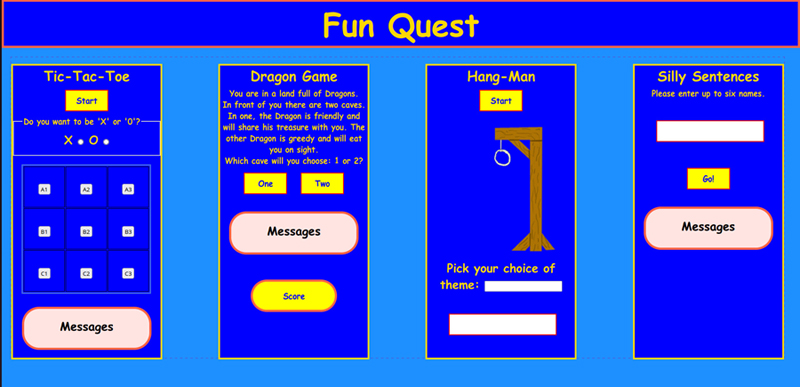
My first solo project is Fun Quest:-

This is the start. I am just mapping out how I want it to look at the moment and even that will need a lot of styling. I have started to add some interactivity to it – all of the buttons are clickable although, they don’t do anything but give a speech bubble which I will change for something more useful. The page also adapts depending on whether it is being viewed on a traditional pc or laptop, a tablet or a smaller device such as a mobile phone. The mobile phone view shows the four games as a scroll in a vertical order, one after another.

Starting on this project has lead me to think of other things that could help with compatibility with all devices on the hosting server. More about that in the next post. I’ll see you back here soon, I promise…..